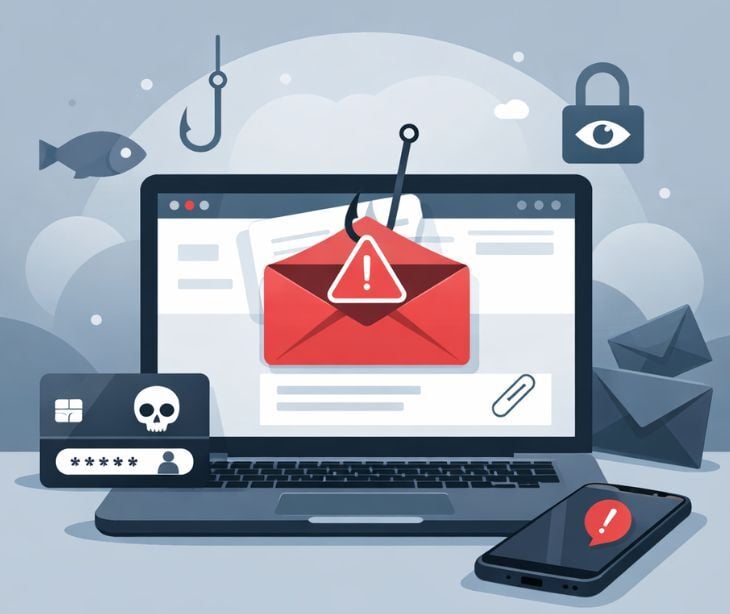
According to Microsoft, “During the first quarter of 2026 (January-March), Microsoft Threat Intelligence detected approximately 8.3 billion email-based phishing threats.” In healthcare specifically, Paubox reports that more than 70% of healthcare data breaches originate from phishing attacks. These figures show why user awareness is important in reducing the risk of costly incidents.
Phishing awareness training is therefore not optional; it is an important safeguard. Effective training helps protect sensitive patient information, financial assets, and organizational reputation. Additionally, it shifts cybersecurity from being solely an IT responsibility to a shared organizational priority. Training employees to spot suspicious messages, check unusual requests, and report potential threats can help healthcare organizations reduce phishing risks and improve day-to-day security.
What is phishing?
Phishing is a type of scam where criminals impersonate trusted organizations to trick you into sharing sensitive information like passwords, credit card numbers, or personal data. “Unlike other cyberattacks that directly target networks and resources, social engineering attacks use human error, fake stories and pressure tactics to manipulate victims into unintentionally harming themselves or their organizations,” notes IBM. “In a typical phishing scam, a hacker pretends to be someone the victim trusts, like a colleague, boss, authority figure or representative of a well-known brand. The hacker sends a message directing the victim to pay an invoice, open an attachment, click a link or take some other action.”
Read more: What is a phishing attack?
Importance of training
According to the Cybersecurity and Infrastructure Security Agency (CISA), “Phishing attacks are frequently preventable when you train employees to recognize and avoid suspicious messages.” The training equips employees with the knowledge to identify and address phishing emails, protecting sensitive information, preventing data breaches, and maintaining the organization's reputation.
In healthcare, when employees are educated about the risks of phishing, healthcare organizations can minimize unauthorized access to protected health information (PHI), potential financial losses, disruption of service provision, and legal consequences associated with successful phishing attacks. Additionally, training creates a security-conscious culture, encouraging employees to adopt best practices in the workplace and in their personal lives. Phishing awareness training is a proactive measure that enhances incident response capabilities, contributes to regulatory compliance, and builds a resilient workforce capable of mitigating the impact of cyber threats. Training can also reinforce the importance of using secure email solutions, such as Paubox Email Suite, to help healthcare organizations protect sensitive information and support HIPAA compliant communication.
Related: HIPAA violations & enforcement
How Paubox Security Awareness Training helps employees recognize phishing
Phishing emails can be difficult to spot, especially when they appear to come from a trusted colleague, healthcare provider, or familiar company. An email might ask an employee to open an attachment, click a link to reset their password, or share information about a patient. Without proper training, employees may not recognize the warning signs until it is too late.
Paubox's security awareness training helps healthcare organizations teach employees how to recognize and respond to these threats. Rather than relying on employees to identify suspicious emails on their own, training gives them a better understanding of common phishing tactics and what to look for when reviewing messages. This includes checking the sender's email address, looking out for unexpected attachments, questioning urgent requests for sensitive information, and avoiding links that appear suspicious. Employees can also learn why they should verify unusual requests through a separate, trusted communication channel instead of responding directly to the email.
Paubox also lets organizations test how employees respond to simulated phishing emails. Teams can choose from six ready-made scenarios, including fake Microsoft password resets and DocuSign notifications, or create variations using AI. Campaign results show who opened a message, clicked a link, or entered credentials. This helps administrators identify employees who may need additional training and address gaps before they lead to a real incident.
The goal is to help employees make safer decisions when handling email, particularly when messages involve patient information or account access. Combined with Paubox's inbound email security, which helps detect and block phishing messages before they reach inboxes, the training provides another layer of protection against email-based threats.
See also: HIPAA Compliant Email: The Definitive Guide (2026 Update)
Preventing phishing with Paubox
Paubox protects against phishing attempts by securing emails at the gateway level, ensuring that malicious messages are intercepted before they reach inboxes. Its inbound email security uses advanced threat detection to identify and block phishing emails. Leveraging real-time threat intelligence, domain-based authentication protocols like SPF, DKIM, and DMARC enforcement, and AI-driven analysis of sender behavior, Paubox reduces the risk of deceptive emails bypassing traditional filters. Furthermore, Paubox’s layered email security approach minimizes human error exposure and helps organizations maintain compliance while keeping users protected without requiring complex end-user actions.
Learn more: Paubox products: In-depth feature analysis
What to look for in a phishing attempt
Recognizing phishing attempts begins with understanding the common tactics scammers use to trick victims into giving up personal or financial information. According to the Federal Trade Commission (FTC), phishing emails and texts often “tell a story to trick you into clicking on a link or opening an attachment.” These messages may look like they’re from a bank, utility, online payment service, or another company you know, but there are specific red flags to watch for.
Unexpected or unsolicited messages
If you receive an email or text you weren’t expecting, especially one claiming there’s a problem with your account or a payment, treat it with suspicion. Scammers commonly say “they’ve noticed some suspicious activity or log-in attempts,” or that your payment information needs to be updated, even when it doesn’t.
Links asking you to take action
Phishing attempts often include links that claim to solve a problem, verify your information, or give you a “refund” or prize. Legitimate companies don’t usually send emails or texts with links to update sensitive information. Clicking these links can install malware or send your data straight to scammers.
Suspicious attachments
Unexpected attachments can contain harmful software. Therefore, if you don’t recognize the message or the sender, don’t open any attached files, even if they look legitimate.
Generic greetings and requests for sensitive data
Scammers often use generic greetings like “Dear Customer” instead of your name, and they may ask for information like passwords, Social Security numbers, or bank details. Legitimate organizations usually won’t request that kind of data through email or text.
Contact details that don’t match
If the message includes a phone number, email address, or website link that looks slightly “off” (for example, a misspelled domain), this is a strong indicator of phishing. Always be cautious and verify contact details through official channels.
Go deeper: Identifying an email phishing attack
FAQS
Why do phishing emails create a sense of urgency?
Scammers rely on fear and urgency to prevent you from thinking critically. Messages may claim your account will be locked, you’ve been charged unexpectedly, or you’ve won a prize that must be claimed immediately.
What information do scammers usually try to steal?
Common targets include passwords, banking details, Social Security numbers, login credentials, and multifactor authentication (MFA) codes.
What happens if I accidentally click a phishing link?
Immediately disconnect from the network if possible, report the incident to IT or security teams, and change your passwords, especially if you entered login credentials.
Is cybersecurity training really effective against phishing?
Yes. Ongoing, practical training helps employees recognize phishing red flags and respond appropriately, turning them into an active line of defense rather than a vulnerability.