


.svg)
.svg)
.svg)
.svg)
.svg)
.svg)
.svg)
.svg)
.svg)
.svg)
.svg)
.svg)
.svg)
.svg)
.svg)
.svg)
.svg)
.svg)
.svg)
.svg)
.svg)

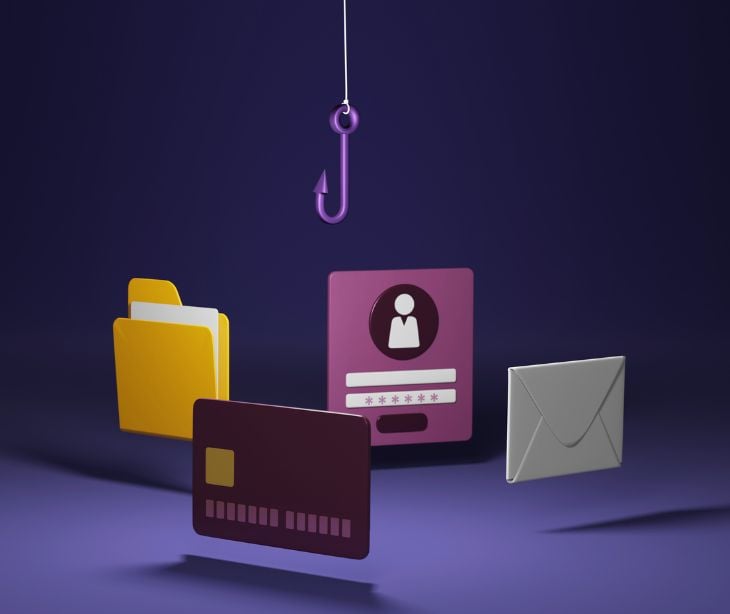
Phishing attacks are fraudulent emails, text messages, phone calls, or websites designed to trick people into sharing sensitive information, installing malware, or taking actions that expose themselves or their organizations to cybercrime. Although tactics continue to change, the goal remains the same: attackers impersonate trusted sources to gain access. IBM explains that phishing usually works by persuading recipients to “click a malicious link, download an attachment or reveal confidential information,” while academic research describes phishing as attackers “masquerading as a trustworthy entity” to obtain confidential information from victims.
Understanding phishing attacks
Phishing attacks are malicious attempts to trick individuals into sharing sensitive information or taking actions that compromise security, targeting human behavior rather than software flaws. A systematic review published in Computers & Security describes phishing as “a social engineering attack that exploits user trust and decision-making processes rather than technical weaknesses.” The Verizon 2025 Data Breach Investigations Report reinforces that reality, confirming that the human element remains involved in most breaches and that social engineering and credential theft continue to drive initial compromise.
Recent data shows how widespread the threat has become. The FBI Internet Crime Complaint Center reports that phishing is now the most frequently reported cybercrime, with more than 300,000 complaints filed. The financial impact has grown just as sharply. Research from the Ponemon Institute and Proofpoint found that the cost of phishing attacks quadrupled between 2015 and 2021, with the average cost of a successful incident reaching $14.8 million in 2021. Instead of breaking into systems, attackers persuade users to open the door themselves.
Related: What is an email phishing attack?
The impact of phishing
The impact of phishing attacks can be severe, leading to identity theft, financial fraud, ransomware deployment, and data breaches affecting entire organizations. Government cybersecurity guidance warns that phishing emails frequently attempt to “trick recipients into revealing sensitive information or installing malware,” allowing attackers to expand access after an initial compromise, according to the U.S. Department of State. And they are effective; Americans lost $57 million to phishing attacks in 2019, with business losses often far exceeding that amount. Real-world incidents show how serious the threat has become. The American Hospital Association reported that Microsoft helped disrupt a phishing operation targeting “at least 20 health care organizations,” showing how impersonation campaigns are directed at healthcare environments where communication systems are used in daily operations. Research published through PubMed Central also notes that phishing attacks can cause damage beyond financial loss, including privacy violations and long-term disruption to organizations.
Types of phishing attacks
Phishing does not follow a single formula. Attackers adjust their approach depending on the target, the communication channel, and how much effort they are willing to invest.
Bulk phishing emails
Bulk phishing remains the most widely used method because scale works in the attackers’ favor. Large volumes of identical emails impersonate retailers, banks, delivery services, or internal teams, relying on the fact that only a small percentage of recipients need to respond for the campaign to succeed. Seasonal periods amplify effectiveness. Reporting on festive season phishing waves described how inboxes become flooded with fake delivery notifications, retail promotions, and urgent account alerts during holiday shopping periods, taking advantage of increased online activity.
Spear phishing
Spear phishing takes a more deliberate approach. Instead of sending generic messages, attackers research a specific organization and craft emails that resemble normal business communication. A campaign attributed to Russian threat actors targeted European companies using messages referencing legitimate business operations. Employees received malicious Word documents disguised as routine files, increasing the likelihood that users would enable macros or log into fake portals. The realism makes these attacks harder for both employees and security tools to identify.
Business email compromise (BEC)
Business email compromise removes many of the warning signs people associate with phishing. Messages often contain no links or attachments. Instead, attackers impersonate executives or trusted vendors and join existing email conversations to request payment updates or urgent transfers. According to FBI Internet Crime reporting, summarized by Cybersecurity Dive, BEC scams continue to generate billions in reported losses each year, demonstrating how effective financial impersonation becomes when it blends into routine business workflows.
SMS phishing (Smishing)
Smishing shifts phishing attacks onto mobile devices. Fraudulent text messages create urgency by posing as delivery companies, financial institutions, or security teams, warning of account issues. Google recently filed a lawsuit targeting a large-scale smishing operation known as “Lighthouse,” alleging the group used mass texting infrastructure to direct victims to credential-harvesting websites. The move toward SMS shows how attackers follow users onto the platforms they check most frequently.
Voice phishing (Vishing)
Vishing relies on conversation rather than links. Attackers call victims directly while spoofing caller ID information so the call appears legitimate. SC Media reported that some threat groups actively recruit individuals to carry out vishing campaigns, showing these operations function more like organized call centers than isolated scams. Real-time interaction allows attackers to pressure victims into resetting passwords, sharing one-time authentication codes, or approving login requests.
Social media phishing
Social platforms have become another entry point for phishing distribution. Attackers use advertising systems and direct messages to reach users at scale, blending fraudulent content with legitimate promotions. Reporting from TechRadar stated that a major portion of advertisements across major platforms have been linked to scams, phishing, or malware campaigns, making it harder for users to distinguish genuine marketing from malicious redirects.
Recognizing phishing attempts
Recognizing phishing attempts remains a big part of prevention, although traditional warning signs such as spelling mistakes or poor formatting are no longer reliable indicators. Research shows attackers now design messages to closely mimic legitimate communication, using psychological pressure and workplace urgency rather than obvious errors to trick recipients. Modern phishing emails often appear authentic because attackers copy trusted brands, logos, email layouts, and login pages. More reliable warning signs include unexpected requests for credentials or payments, unfamiliar sender addresses, generic greetings, urgent or threatening language, and messages asking you to act quickly without verification. Security guidance from IBM notes that fake URLs and slightly altered email domains remain common tactics, while suspicious links, unexpected attachments, or requests for personal or financial information should always be treated cautiously. An unusual request, unexpected timing, or pressure to bypass normal procedures is often the clearest indication that a message may be malicious.
Best practices
Reducing phishing risk requires more than awareness alone. Cybersecurity guidance consistently recommends pairing user education with clear verification processes. Employees should avoid sharing sensitive information through unsolicited messages, verify requests through trusted channels rather than embedded links, and report suspicious emails immediately to security teams. The U.S. Department of State notes that independent verification disrupts phishing attempts by removing the attacker’s reliance on urgency and impersonation. At the same time, research shows that training by itself cannot eliminate phishing because these attacks deliberately exploit human behavior. Stronger protection comes from layered defenses, including advanced email security tools that detect impersonation patterns, multi-factor authentication to limit credential abuse, endpoint protection to block malicious downloads, and web filtering to prevent access to known phishing infrastructure. The Verizon 2025 Data Breach Investigations Report concludes that organizations with layered security controls reduce breach risk even when human error occurs.
Why phishing continues to change
Phishing has shifted from simple scam emails into a large-scale social engineering operation that adapts to modern security tools. According to Paubox’s 2025 Mid-Year Email Breach Recap, healthcare breaches linked to email attacks reached an average cost of $11 million per incident, with 107 email-related breaches reported in the first half of 2025 alone. Attackers now use generative AI to imitate real clinical communication, a tactic described as “deception at scale,” allowing phishing messages to bypass traditional filters that only scan for malicious links or attachments. The risk persists because healthcare systems rely on inherited trust in email communication while basic protections remain weak. Paubox’s 2026 Healthcare Email Security Report found that 74% of breached organizations lacked proper DMARC enforcement, a standard that helps prevent email spoofing, while another Paubox report identified a major reporting gap where staff reports only about 5% of phishing attempts despite widespread training. Security leaders warn that human error cannot be fully eliminated, driving a shift toward automated inbound email protections designed to block impersonation and AI-driven threats before they reach employees.
In the news
Phishing activity targeting healthcare and cloud platforms continues to escalate. According to the American Hospital Association, in September 2025, Microsoft announced it had disrupted a phishing service that targeted at least 20 healthcare organizations in the United States. “The company said it used a court order granted by the U.S. District Court for the Southern District of New York to seize 338 websites associated with RaccoonO365, a cyber threat group known for stealing Microsoft 365 credentials through phishing tactics… The company said the phishing kits use Microsoft branding to create fraudulent emails, attachments, and websites. Since July 2024, the kits have stolen at least 5,000 Microsoft credentials from individuals in 94 countries.” At the same time, researchers have tracked the growth of phishing as a service platforms such as Tycoon 2FA, first identified by Sekoia analysts in 2023 and marketed through private Telegram channels. A newer 2024 version reportedly operates across more than a thousand domains and has already been used extensively in campaigns designed to bypass two-factor authentication protections on Microsoft 365 and Gmail accounts. The increase of these toolkits shows a broader shift. Phishing infrastructure is becoming more organized, more scalable, and specifically designed to circumvent widely adopted security controls, forcing organizations to reassess whether authentication measures alone are enough.
Read more: Phishing kit that bypasses MFA targets Gmail and Microsoft 365
How Paubox defends against phishing
Paubox protects healthcare organizations from phishing attacks using a multi-layered inbound email security system that blocks threats before they reach users’ inboxes. Paubox's new inbound email security uses generative AI to analyze message behavior, tone, and intent, helping detect sophisticated phishing emails that appear legitimate instead of relying only on traditional spam filtering. The platform also includes ExecProtect and ExecProtect+, patented features that prevent impersonation by detecting display name spoofing and blocking emails pretending to be executives or trusted staff. Incoming emails are scanned for malware, malicious links, fake domains, and other warning signs, with suspicious messages automatically quarantined to prevent credential theft, unauthorized access, and exposure of protected health information while supporting HIPAA compliant communication.
See also: HIPAA Compliant Email: The Definitive Guide
FAQs
What should I do if I suspect a phishing attempt?
Refrain from clicking on any links or providing personal information. Instead, the suspicious activity should be reported to the legitimate organization being impersonated.
How can I protect myself from phishing attacks?
Be cautious of unsolicited communications, verify the legitimacy of requests for personal information, and use security software to help identify potential threats.
What are some common examples of phishing attacks?
Examples include emails claiming to be from a bank requesting account details, fake websites mimicking legitimate login pages, and messages impersonating trusted companies requesting sensitive information.
What are the potential consequences of falling victim to a phishing attack?
Victims may experience identity theft, financial loss, unauthorized access to personal accounts, and compromised sensitive data.
Can businesses be targeted by phishing attacks?
Yes, businesses are often targeted through email scams to obtain sensitive company information or gain unauthorized access to corporate networks.
