


.svg)
.svg)
.svg)
.svg)
.svg)
.svg)
.svg)
.svg)
.svg)
.svg)
.svg)
.svg)
.svg)
.svg)
.svg)
.svg)
.svg)
.svg)
.svg)
.svg)
.svg)

We recently covered how you can use Apple's FileVault to encrypt your Mac's hard drive for free. In this post, we'll cover some free utilities to encrypt your hard drive using Microsoft Windows. Encrypting your computer's hard drive is a crucial component of HIPAA compliance and should not be overlooked.
Bitlocker
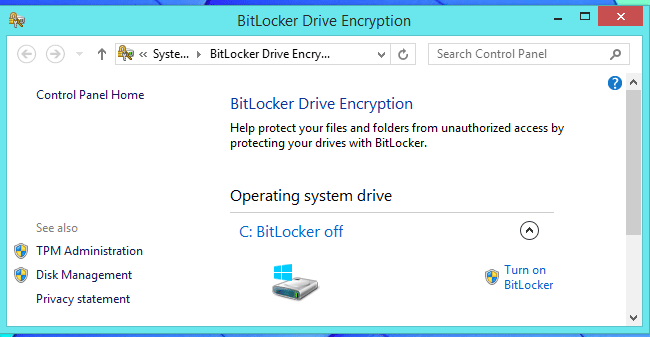
BitLocker, which is Microsoft’s disk encryption technology, is only included in the Ultimate and Enterprise editions of Windows Vista and Windows 7, and the Enterprise and Pro editions of Windows 8, 8.1 and 10. It's not included however, in the Home editions, which is what often comes pre-installed on Windows laptops.
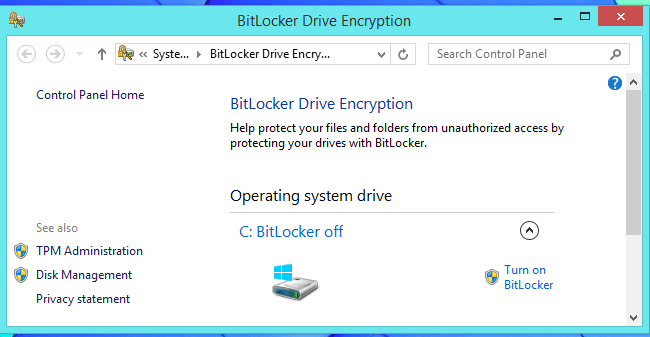
To see if BitLocker is supported on your version of Windows, open up Windows Explorer, right-click on your C drive, and see if you have a Turn on BitLocker option (if you see a Manage BitLocker option, then congratulations, your disk is already encrypted). If BitLocker isn’t supported in your version of Windows, you may want to think about upgrading to a version of Windows that is supported by buying a license. But since this post is about free Windows encryptions tools for HIPAA compliance, we recommend looking at a free open source software program called VeraCrypt.
VeraCrypt
VeraCrypt is a free disk encryption software that's based on the popular yet discontinued program TrueCrypt. According to VeraCrypt, they added enhanced security to the algorithms used for system and partitions encryption. They also say they've solved many vulnerabilities and security issues found in TrueCrypt.
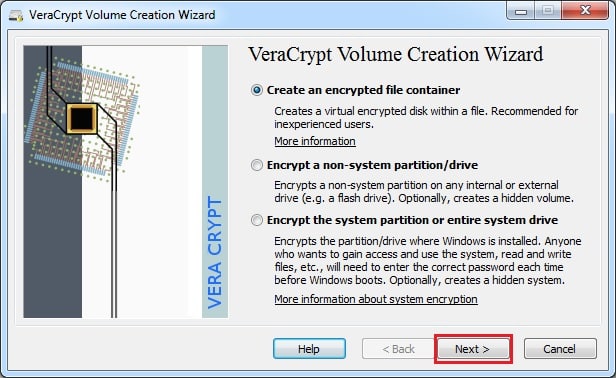
VeraCrypt is compatible with Windows XP and newer.
Conclusion: Disk Encryption is a must for HIPAA compliance
Make no mistake, you should be using disk encryption in order to be taking "reasonable and appropriate" steps to protect PHI as required for HIPAA compliance. In fact, we wrote a post called " HIPAA Fines caused by Stolen Laptops" that described how a single stolen laptop without disk encryption can lead to fines of over $1,000,000. You should be aware that even desktop computers in your office can lead to hefty HIPAA fines if you do not encrypt their drives.
SEE ALSO: Free Disk Encryption for Mac OS
