


.svg)
.svg)
.svg)
.svg)
.svg)
.svg)
.svg)
.svg)
.svg)
.svg)
.svg)
.svg)
.svg)
.svg)
.svg)
.svg)
.svg)
.svg)
.svg)
.svg)
.svg)

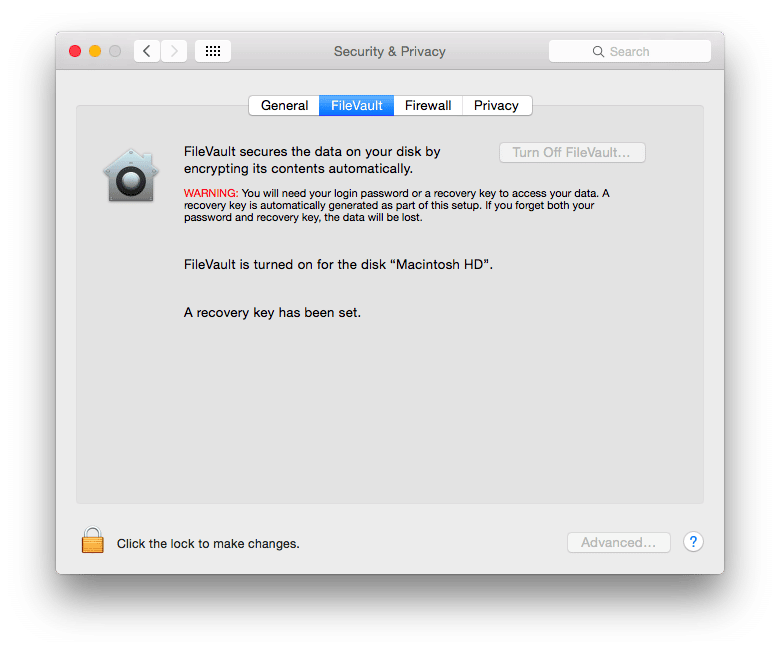
You can use Apple's FileVault full disk encryption (FileVault 2) for free to help prevent access to protected health information (PHI) stored on your Mac. Encrypting your Mac's hard drive is a crucial component of HIPAA compliance and should not be overlooked. To use this free feature, you need OS X Lion or later, and a working OS X Recovery volume on your startup disk.
Here's how to Enable FileVault
You can check to see if FileVault is turned on in the Security & Privacy pane of System Preferences.
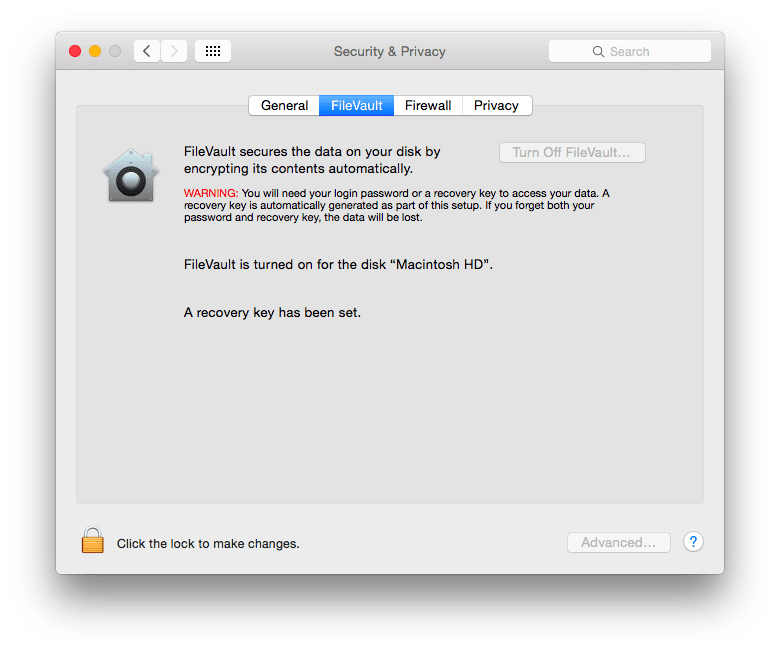
If you're reading this blog post, you most likely need to turn it on. Here's how:
- From the Apple menu, choose System Preferences.
- Click the Security & Privacy icon in the System Preferences window.
- Click the FileVault tab.
- Click the lock icon and enter an administrator name and password.
- Click the Turn On FileVault button.
Restart your Mac
After you've set up FileVault, you're prompted to restart your Mac. After restarting, a login screen appears. Select your account name and enter your password to continue. This unlocks your startup disk and takes you to your desktop. When FileVault is enabled you can't log in automatically. A password is always required when you start up your Mac so that OS X can unlock your startup disk. The first time you log in after turning on FileVault, encryption of your startup disk begins. Here's some things to remember:- This initial encryption takes time, and it happens only while your Mac is plugged in to AC power.
- You can continue to use your Mac while encryption happens in the background.
- Encryption pauses when your Mac is sleeping or turned off, and continues when your Mac is turned on.
- Any new files you create are automatically encrypted as they're saved to your startup disk.
Learn More
Congratulations! You've just encrypted your entire hard disk on your Mac for free. For more information on FileVault, this Apple Support article is a good reference.
SEE ALSO: Free Windows Encryption tools for HIPAA Compliance
