


.svg)
.svg)
.svg)
.svg)
.svg)
.svg)
.svg)
.svg)
.svg)
.svg)
.svg)
.svg)
.svg)
.svg)
.svg)
.svg)
.svg)
.svg)
.svg)
.svg)
.svg)
.svg)

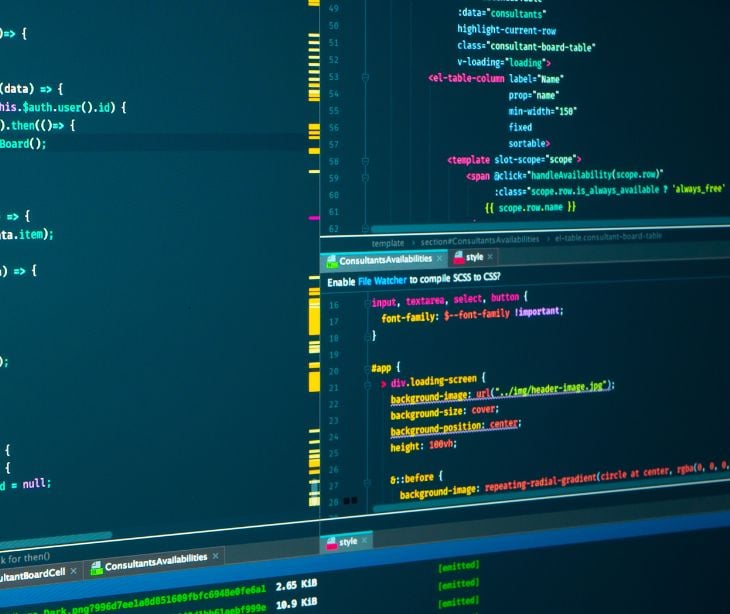
A CSS-based email attack is a technique where an attacker abuses Cascading Style Sheets (CSS), the code normally used to control how a webpage or email looks, to perform actions that would normally require JavaScript or another programming language.
Understanding CSS-based email attack
CSS is normally responsible for how content looks on a webpage or HTML email, controlling elements such as colors, fonts, positioning, and visibility. However, security researchers have demonstrated that attackers can abuse some of these capabilities to hide malicious content, evade email security controls, track recipients, and, in certain webmail environments, potentially extract sensitive information.
See also: HIPAA Compliant Email: The Definitive Guide (2026 Update)
How do CSS-based email attacks work?
The attack works by taking advantage of the fact that HTML email is rendered by an email application or webmail service. When an HTML email arrives, the email client interprets its HTML and CSS to determine what the recipient sees. An attacker can manipulate that process in several ways.
Hiding malicious or suspicious content
One technique involves placing additional text inside an email's HTML and then using CSS to make that content invisible to the recipient. For example, CSS can move text off-screen, make it transparent, reduce it to an extremely small size, or otherwise prevent it from being visible.
Cisco Talos, in the article ‘Seasoning email threats with hidden text salting’, observed attackers using properties such as text-indent, font-size and opacity to conceal text. In one example, irrelevant phrases were inserted into a phishing email to make the underlying message look different to security systems while remaining invisible to the recipient. This is known as hidden text salting, sometimes called hidden text poisoning.
Talos described it as a technique that can “bypass email parsers, confuse spam filters, and evade detection engines that rely on keywords.”
Making the email behave differently for different recipients
CSS can also respond to characteristics of the environment in which an email is displayed. For example, CSS rules can respond to factors such as screen dimensions, resolution, and color preferences. Attackers can use these differences to load different resources or display different content.
Talos found examples in which CSS was used to identify characteristics of recipients' systems and email clients. In some circumstances, available fonts and other CSS features could also provide clues about the operating system being used. This can help attackers build a fingerprint of their target.
Tracking user activity
CSS can also be combined with external resources to monitor recipient activity. Talos, in another report, Abusing with style: Leveraging cascading style sheets for evasion and tracking, observed emails using tracking URLs to determine information such as whether a message was opened, what color scheme the recipient used, and whether the email was printed. Other examples collected information about the email client and device.
For legitimate marketing campaigns, some forms of email tracking are commonplace. However, the same techniques can become a security concern when used by spammers or threat actors to gather information about potential victims.
Potentially extracting information
The most concerning research involves using CSS and HTML to extract information entered or displayed by a victim. According to Dark Reading, Heyes demonstrated that CSS and HTML could potentially be used to create a keylogger without JavaScript or an attachment. The technique takes advantage of CSS features and animations to infer information and send it outside the email environment. However, these attacks are considerably more complicated than conventional phishing. Heyes noted that attackers have to work harder to determine how to extract information using techniques such as animations.
In the news:
- Hackers are using CSS to evade email filters and track users
- CSS emerges as a hidden threat to webmail security
Common sources of CSS-based attacks
CSS-based attacks can be incorporated into several common email threats, including:
- Phishing emails impersonating trusted brands
- Spam campaigns
- Malicious HTML attachments
- Credential-stealing campaigns
- Emails containing hidden or manipulated content
Talos has observed CSS abuse in phishing campaigns impersonating well-known organizations and brands.
Types of CSS-based email attacks
CSS-based email attacks can take many forms, including:
Hidden text salting
Attackers insert additional words or characters into an email and use CSS to hide them from the recipient. The goal is often to confuse spam filters and other automated security systems.
CSS-based tracking
CSS can be combined with external resources to collect information about the recipient, such as their email client, device characteristics, or display settings.
Talos found examples of attackers using CSS to fingerprint recipients and gather information about their environment.
CSS-based evasion
Attackers can use hidden or manipulated content to make phishing emails appear less suspicious to automated security tools while looking normal to the recipient.
CSS-based keylogging
More advanced research has demonstrated that CSS and HTML can potentially be abused to capture information entered by a user without JavaScript or an attachment. This technique is considerably more complex and depends on the capabilities of the email or webmail environment.
Related: What is keylogging?
Why CSS attacks are difficult to detect
One reason CSS abuse is concerning is that the content can look completely normal to the person reading it. The recipient might see a legitimate-looking invoice, password-reset notification, or company announcement while the underlying HTML contains additional hidden elements.
Traditional email security tools may also focus on the text that is visible to the recipient. Talos warned that hidden text can interfere with parsers and keyword-based detection systems. This creates a gap between what the security system analyzes, what the email client renders, and what the user actually sees.
The problem can become even more complicated because different email clients support different CSS rules and rendering behaviors. Talos noted that this variation can itself be abused for tracking and fingerprinting.
Defending against
Protecting against CSS-based attacks requires more than simply telling employees not to click suspicious links.
Use advanced email filtering
Organizations should use email security solutions capable of analyzing more than visible text. Talos recommends filtering systems that can identify suspicious uses of CSS and detect concealed content. This can include examining unusual CSS properties, excessive inline styling, and unusual HTML structures.
Security tools should ideally analyze both the content and structure of HTML emails rather than relying solely on keywords.
Use visual analysis
Security teams can also benefit from analyzing what an email actually looks like. Talos recommends incorporating visual characteristics into email detection because attackers can manipulate the underlying HTML without necessarily changing the message's appearance. Thus, security systems should ask not only “What does the HTML contain?” but also ask “What does the recipient actually see?”
Isolate email content
Webmail providers can reduce the risk by isolating email content from the rest of the webmail application. Heyes told Dark Reading that webmail platforms could isolate messages so malicious CSS cannot interfere with the surrounding page. He also recommended stronger CSS sanitization to prevent content from escaping the email's boundaries.
This is particularly important because, as Heyes pointed out, “You can't turn off CSS” from the perspective of an ordinary webmail user. That means much of the responsibility for mitigating these attacks falls on email providers and security teams rather than individual users.
Proxy remote content
Talos recommends rewriting remote resources, such as images, so that they are served through a protective mechanism rather than directly connecting the recipient's email client to an attacker's infrastructure. This can reduce opportunities for tracking and information leakage.
Keep email platforms updated
Organizations should also keep email clients, browsers, and webmail platforms up to date.
CSS and HTML capabilities continue to evolve. As Heyes explained to Dark Reading, “as you add those features, the attack surface grows.” Security updates can therefore be important for addressing weaknesses in the way email platforms process and isolate HTML and CSS.
Maintain phishing awareness
Technical controls should be supported by user awareness. Employees should remain cautious about unexpected requests for passwords, payment information, or other sensitive data, even when an email looks professional. Users should also avoid interacting with suspicious forms or links contained within unexpected messages and report questionable emails to their security team.
Read also: How to make use of CSS styling in HIPAA compliant email
FAQS
What information can CSS-based attacks collect?
Depending on the technique, attackers may collect information about a recipient's email client, device, display settings, IP address, or activity. More advanced techniques may potentially capture information entered by a user.
Can organizations block CSS in emails?
Completely blocking CSS would affect many legitimate HTML emails. Instead, organizations can use email security solutions that sanitize or isolate potentially risky HTML and CSS.
