


.svg)
.svg)
.svg)
.svg)
.svg)
.svg)
.svg)
.svg)
.svg)
.svg)
.svg)
.svg)
.svg)
.svg)
.svg)
.svg)
.svg)
.svg)
.svg)
.svg)
.svg)
.svg)

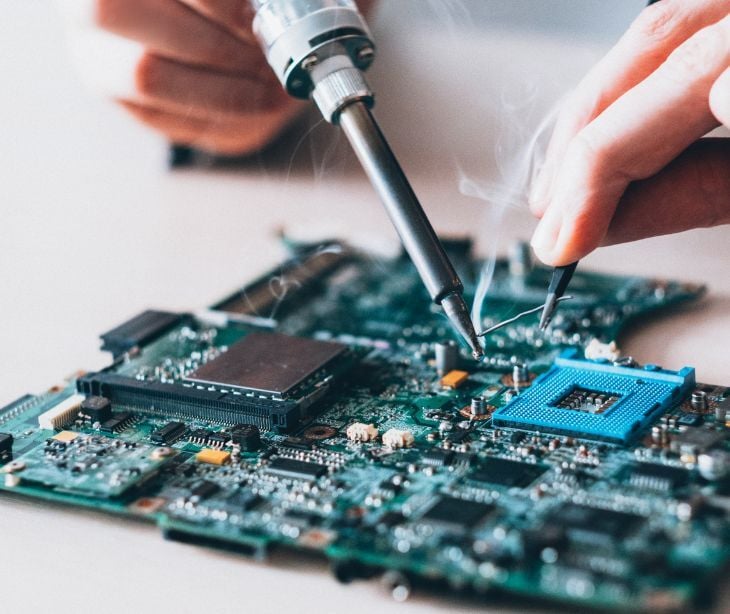
Healthcare organizations depend on a wide range of hardware to deliver patient care, manage information, conduct research, and support day-to-day operations. Computers, servers, laptops, tablets, medical imaging systems, diagnostic equipment, networking devices, printers, and storage media can all contain or provide access to sensitive information.
However, hardware does not stop presenting security risks simply because an organization stops using it.
When a device reaches the end of its useful life, is replaced with newer technology, or is returned to a leasing company, it must be properly decommissioned. Otherwise, information stored on the device may remain accessible to unauthorized individuals. For healthcare organizations, this can create privacy, cybersecurity, compliance, and even patient-safety risks.
What does hardware retirement mean?
Hardware retirement is the process of securely and responsibly taking IT equipment out of active use and determining what should happen to it next. Retiring hardware does not necessarily mean throwing it away. Depending on its condition and remaining value, equipment may be resold, recycled, returned to a leasing company, or otherwise recovered.
Dell Technologies describes this process through its Asset Recovery Services, which are designed to help organizations “securely and responsibly retire, refresh, or return any leased IT equipment.” The company also points out that older equipment may still have financial value, allowing organizations to assess whether assets can be resold rather than immediately discarded.
For healthcare organizations, hardware retirement can apply to a wide range of equipment, including computers, laptops, servers, storage devices, networking equipment, and connected medical or laboratory systems. Before equipment is removed from service, organizations should determine whether it contains sensitive information, whether that information needs to be retained, and what should happen to the device after retirement.
Part of the retirement process is data sanitization. Simply deleting files or resetting a device may not be sufficient to prevent sensitive information from being recovered. Dell's Asset Recovery Services, for example, include options for “offsite data sanitization” as part of its resale and recycling services, while organizations requiring additional protection can request “onsite data sanitization” or onsite hard-drive shredding.
The final destination of the equipment is also important. According to Dell, equipment that retains value can be resold, while equipment without resale value can be recycled in accordance with local regulatory requirements. Leased equipment can also be transported back to the company from which it was leased, with data sanitization available as an additional service.
This means hardware retirement should be viewed as an asset lifecycle and risk-management process, rather than simply a disposal activity. Organizations need to consider the value of the equipment, the information stored on it, how that information will be protected, and how the final disposition will be documented.
Dell also allows organizations to track the equipment through the retirement process and access reports showing what happened to each asset. Its Asset Recovery Services allow organizations to schedule services, track progress, and “view and download reports,” including information about environmental impact. For healthcare organizations, this level of oversight is particularly important. A retired device may still contain patient information, research data, employee information, credentials, or other sensitive information. The retirement process should therefore ensure that data is appropriately backed up or migrated where necessary, securely sanitized when the device is being reused or transferred, and appropriately destroyed when it is no longer required.
The goal of hardware retirement is not simply to remove old equipment from an organization's inventory. It is to ensure that technology reaches the end of its organizational lifecycle without exposing sensitive information or creating unnecessary security, financial, or environmental risks.
Why is hardware retirement a healthcare cybersecurity issue?
Retiring outdated hardware is an important part of maintaining secure and efficient healthcare operations. Older systems may be difficult to maintain, no longer receive security updates, or be unable to work effectively with newer technologies. These weaknesses can leave healthcare organizations more exposed to security incidents.
The operational impact of legacy technology can also be significant. According to a Paubox report, 83% of organizations said legacy systems disrupt day-to-day operations. Matt Murren, CEO of True North ITG, described the problem, saying, “I’ve seen firsthand how legacy email platforms can quietly—but critically—undermine operational stability and efficiency across healthcare organizations.” He noted that the challenges can become even greater in larger healthcare networks, where the number of systems, devices, and users makes legacy technology more difficult to manage.
From a cybersecurity perspective, however, the risks do not end when an organization replaces an outdated device. Hardware that has been retired can still contain sensitive information, including patient records, credentials, system configurations, or other data that could be recovered if the device is not properly sanitized. This makes secure decommissioning just as important as keeping active hardware up to date.
See also: How replacing legacy email systems improves healthcare operations
The security risks of giving retired hardware a second life
Retiring a device does not necessarily mean that it is destroyed. Healthcare organizations may choose to reuse, resell, donate, return, or recycle equipment that is still functional. While this can reduce electronic waste and help organizations recover some of the value of their older equipment, it also creates an important security consideration because the device may still contain sensitive information.
A recent HackRead article, The Security Risks of Second-Life Corporate Devices, highlights this problem. The article notes that simply unplugging a device does not remove the “data, credentials or configuration records stored on it.” If a device leaves an organization's IT environment without proper tracking and data sanitization, information stored on it could potentially be accessed by whoever receives it.
This is particularly relevant in healthcare, where retired devices may have stored patient information, employee details, research data, system credentials, or other confidential information.
Deleting files is not enough
One of the risks highlighted by HackRead is that deleting files or performing a quick format does not necessarily sanitize a device. Depending on the type of storage and the method used, information may remain recoverable from the device. For instance, a laptop that appears to have been wiped could still contain information that an unauthorized person might recover. The risk becomes even greater if the device contains saved credentials, VPN tokens, API credentials, SSH keys, browser sessions, or configuration files. According to the article, these types of information could potentially provide access to systems that are still in use.
For healthcare organizations, this makes data sanitization an important step before equipment is transferred to another user, sold, donated, returned to a vendor, or sent for recycling.
The risk does not end when the device leaves the building
There can also be a gap between when equipment is removed from service and when it is finally processed. HackRead points out that retired equipment may spend time in offices, storage rooms, loading areas, warehouses, or with third-party carriers before reaching its final destination. Without accurate records and documented handoffs, an organization may not know who has possession of a particular device or whether it actually reached the intended processing facility.
Keeping track of retired equipment, thus, becomes an important factor in the process. Each device should be matched to the organization's asset records, and organizations should be able to establish where the equipment went and what happened to it.
Reuse can be an option, but only after sanitization
Not every retired device needs to be destroyed. Functional equipment can potentially be refurbished and reused, allowing healthcare organizations to recover some of its residual value while reducing electronic waste.
However, HackRead notes that reuse should only happen after the storage has been appropriately sanitized and the results documented. The article also points out that solid-state drives (SSDs) can be harder to wipe securely because features such as wear leveling can prevent traditional methods from fully removing the data.
For healthcare organizations, the decision to reuse or dispose of equipment should therefore take into account both the condition of the hardware and the organization's ability to securely remove the information stored on it.
Read also: When legacy systems become a vulnerability
Hardware retirement and HIPAA
Under the physical safeguards of HIPAA’s Security Rule, covered entities must have policies and procedures for managing hardware and electronic media that contain electronic protected health information (ePHI). This includes how equipment enters and leaves a facility, how it is moved within the facility, and what happens to it when it is no longer needed.
The Security Rule specifically requires organizations to have procedures for the “final disposition of ePHI and the hardware or electronic media on which it is stored.” It also requires organizations to remove ePHI from electronic media before the media are made available for reuse.
This is important when retiring equipment that may still contain patient information. An old computer, server, or other device should not simply be handed to another employee, sold, donated, or sent for recycling without first addressing the data stored on it.
HHS explains that computers and other electronic media containing ePHI can be reused or disposed of, provided appropriate steps are taken to remove the information or destroy the media. The appropriate method depends on the circumstances. HHS identifies clearing and purging as possible approaches. Clearing involves overwriting the media with non-sensitive data, while purging uses a stronger process to make the existing information inaccessible.
See also: HIPAA Compliant Email: The Definitive Guide (2026 Update)
FAQS
What is media sanitization?
Media sanitization is the process of making stored data inaccessible or infeasible to recover.
What types of healthcare equipment can be retired?
Hardware retirement can involve more than computers and servers. Organizations should consider laptops, tablets, storage devices, USB drives, networking equipment, printers, medical devices, laboratory equipment, and other systems that may store or provide access to sensitive information.
