


.svg)
.svg)
.svg)
.svg)
.svg)
.svg)
.svg)
.svg)
.svg)
.svg)
.svg)
.svg)
.svg)
.svg)
.svg)
.svg)
.svg)
.svg)
.svg)
.svg)
.svg)
.svg)

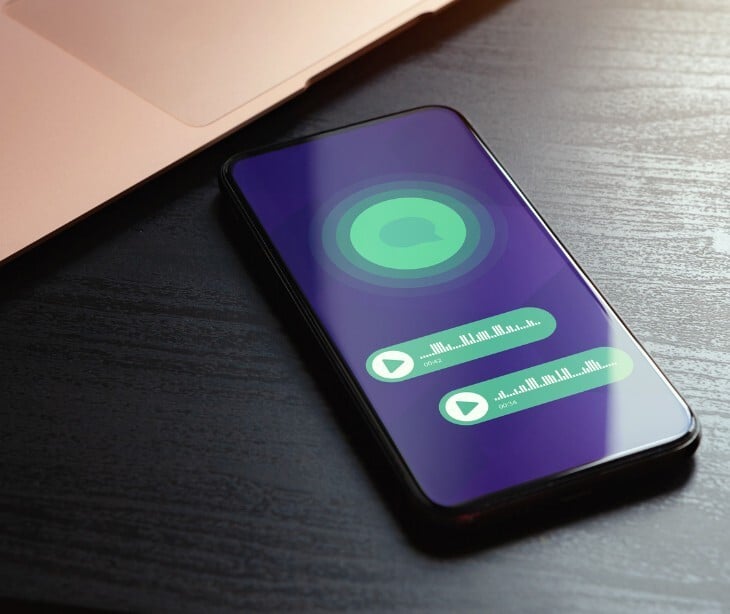
A campaign called CodeStorm sends fake voicemail alerts from genuine, previously compromised Microsoft 365 accounts, then tests stolen passwords against Microsoft's own login system in real time to slip past multi-factor authentication.
What happened
Researchers have identified a phishing operation called CodeStorm that sends malicious emails from real, previously compromised Microsoft 365 accounts rather than fake or newly registered ones. According to CyberSecurityNews, because the sending account is a genuine, active Microsoft 365 account, the emails automatically pass the technical checks email systems use to confirm a sender is legitimate, making them far more likely to reach the inbox instead of being filtered out. The campaign begins with a fake voicemail notification email designed to look like an official Microsoft message, complete with a caller duration, a reference number, and a button reading "Open Voicemail Portal." Hidden below the visible message, the kit appends a long block of unrelated old email content, a trick designed to make automated scanning tools mistake the message for a routine internal business thread rather than flag it as suspicious.
Going deeper
What sets CodeStorm apart is a capability researchers describe as tenant-aware credential replay. Instead of simply collecting the password a victim types into a fake login page, the kit immediately submits that password to Microsoft's real login system in real time, mimicking a genuine sign-in attempt closely enough to walk through Microsoft's own multi-factor authentication process alongside the victim. When a victim clicks the voicemail link, they land on a page protected by a bot-blocking challenge, similar to a CAPTCHA, designed to stop automated security scanners from analyzing the page. The page also checks whether the visitor's browser has developer tools open or shows signs of being an automated scanner rather than a real person, and if anything looks suspicious, it quietly redirects to a genuine Microsoft webpage so it appears completely harmless to investigators. The kit supports every common way Microsoft asks users to confirm their identity, including approval notifications sent to an authenticator app, text message codes, phone call verification, and account recovery codes, meaning it can walk a victim through almost any multi-factor authentication method they might have set up.
What was said
Researchers stated in their analysis cited by CyberSecurityNews that when a victim submits their password, the kit immediately tests it against Microsoft's real systems, which produces a genuine failed login record inside the victim organization's own security logs within seconds of the phishing click. Researchers noted this creates a distinctive but easily overlooked warning sign, security teams may see a failed login attempt appearing to come from an unexpected US location almost immediately after an employee clicks a suspicious link, because the location tied to that failed attempt actually belongs to the attacker's infrastructure rather than the employee's real location.
In the know
Fake voicemail notifications have been one of the most consistently reused phishing lures against Microsoft 365 users for years. According to The Hacker News, Microsoft reported blocking more than 13 million malicious emails tied to a similar voicemail-themed phishing kit in a single month in late 2025, describing a surge in the tactic that has continued into 2026 across multiple competing phishing kits. What makes CodeStorm notable within that broader pattern is not the voicemail lure itself, which is well established, but the addition of real-time credential testing against Microsoft's live systems, a technical escalation that goes beyond simply harvesting and later reusing stolen passwords.
The big picture
A phishing email that arrives from a genuine, previously compromised Microsoft 365 account defeats the sender verification checks that many healthcare organizations rely on as a first line of defense. Staff are also more likely to trust an email that appears to come from a real coworker's account, or from a familiar external partner organization, than one from an obviously unfamiliar address. Because the kit actively works through every multi-factor authentication method Microsoft supports, organizations that treat MFA alone as sufficient protection against credential theft are exposed to exactly this kind of attack. According to Paubox's 2026 Healthcare Email Security Report, 53% of breached healthcare organizations in 2025 used Microsoft 365, and only 5% of known phishing attacks are reported by employees to security teams, meaning a campaign built to blend in this thoroughly can move through a healthcare organization's email environment for an extended period before anyone notices.
FAQs
Why does an email from a real, hacked Microsoft 365 account pass spam filters that a fake email would not?
Email security systems check technical signals confirming that a message genuinely comes from the domain it claims to be from. A real Microsoft 365 account that has been taken over by an attacker passes those checks automatically, because the email genuinely was sent through Microsoft's own systems using a legitimate account, not a forged one.
What does it mean that the kit tests stolen passwords against Microsoft in real time?
Rather than simply storing a stolen password to be used later, the kit immediately tries that password against the victim's real Microsoft account the moment it is typed into the fake page. This lets the attacker interact with Microsoft's actual multi-factor authentication prompts as they happen, walking the victim through completing verification steps that hand over full account access almost instantly.
Why would a failed login attempt show up in an organization's security logs even though the attacker never had valid credentials at that point?
When the kit tests a victim's password against Microsoft's real system before the victim has finished any additional verification step, that test can register as a failed sign-in attempt in the organization's own records, even though the attacker's infrastructure, not the employee, is the one showing up as the source of that attempt.
What is the significance of the hidden block of old email content appended to these phishing messages?
Automated systems that scan incoming email for threats often use the overall pattern and history of a message thread to judge how risky it is. A message that appears to be a continuation of a long-running, ordinary business conversation is generally treated as lower risk than a brand-new message from an unfamiliar sender, which is exactly the impression the hidden content is designed to create.
What is the most effective way for a healthcare organization to catch this type of campaign early?
Since the attack often produces an unusual failed login recorded almost immediately after a suspicious email is opened, security teams should specifically watch for failed sign-in attempts appearing to originate from unexpected locations shortly after any voicemail-themed or unusual notification email is sent within the organization, and treat that pattern as a strong signal of an in-progress phishing attempt rather than routine login noise.
