


.svg)
.svg)
.svg)
.svg)
.svg)
.svg)
.svg)
.svg)
.svg)
.svg)
.svg)
.svg)
.svg)
.svg)
.svg)
.svg)
.svg)
.svg)
.svg)
.svg)
.svg)


Transport Layer Security (TLS) 1.3 encryption provides unparalleled privacy and performance to our suite of HIPAA compliant email solutions. However, some email hosts don’t use TLS. What happens then? How does Paubox ensure that your messages are still encrypted?
How Paubox delivers to emails that don't support modern encryption
It’s pretty simple. Our unique approach to email security and encryption recently became patented. We provide secure email delivery to addresses that support (and don’t support) TLS. When you send a message to an email address that does not support transport layer security (TLS) encryption, Paubox stops your message from being delivered in plain text. Instead, your recipient gets an email telling them to click on a link to view your message and reply from a secure HTTPS URL. Once the recipient opens the link, they’ll be able to view your message, download attachments, or respond. Any reply sent back to you (with or without attachments) is encrypted as well.
How does it work?
To give you a better idea of what this entails, here is a breakdown of this behind-the-scenes process.
1. Compose your email and hit send.
2. Your recipient receives an email alerting them that they have a secure message from you waiting for them.
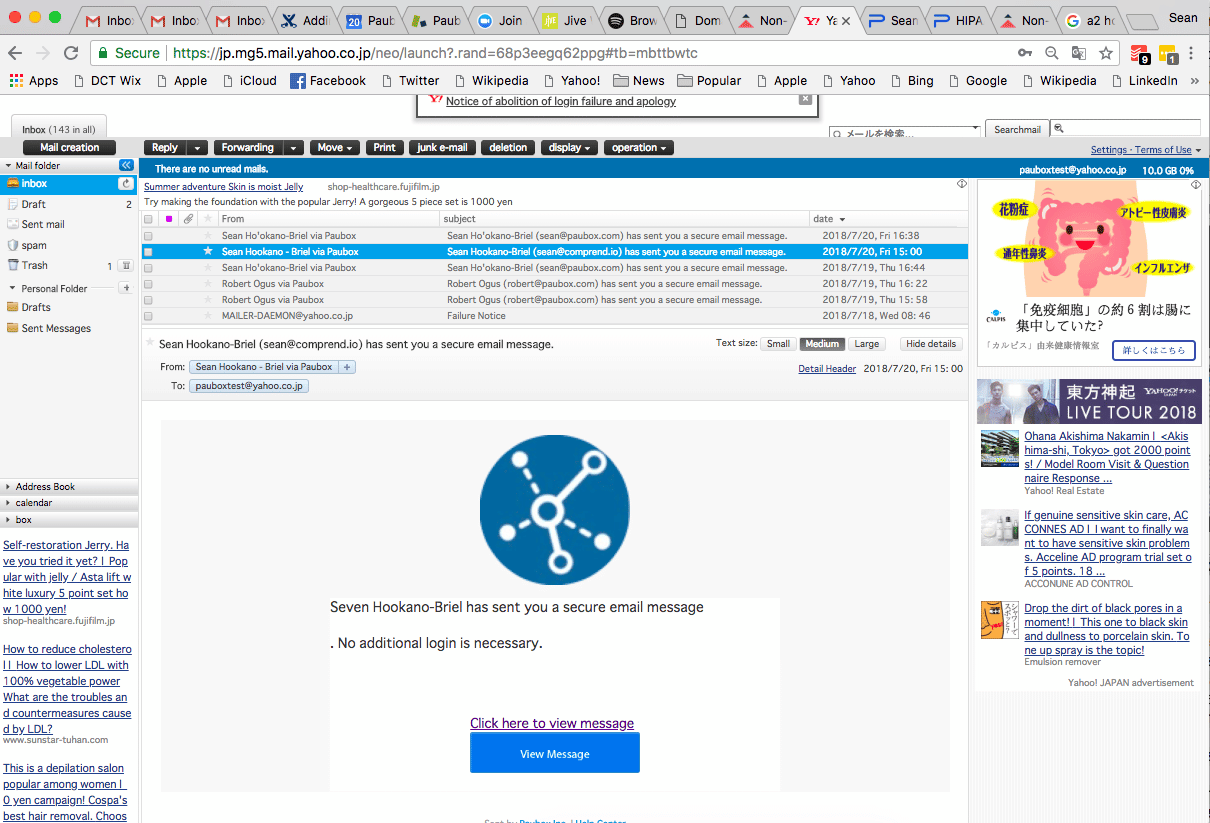
3. Your recipient clicks "view message" to read your email.
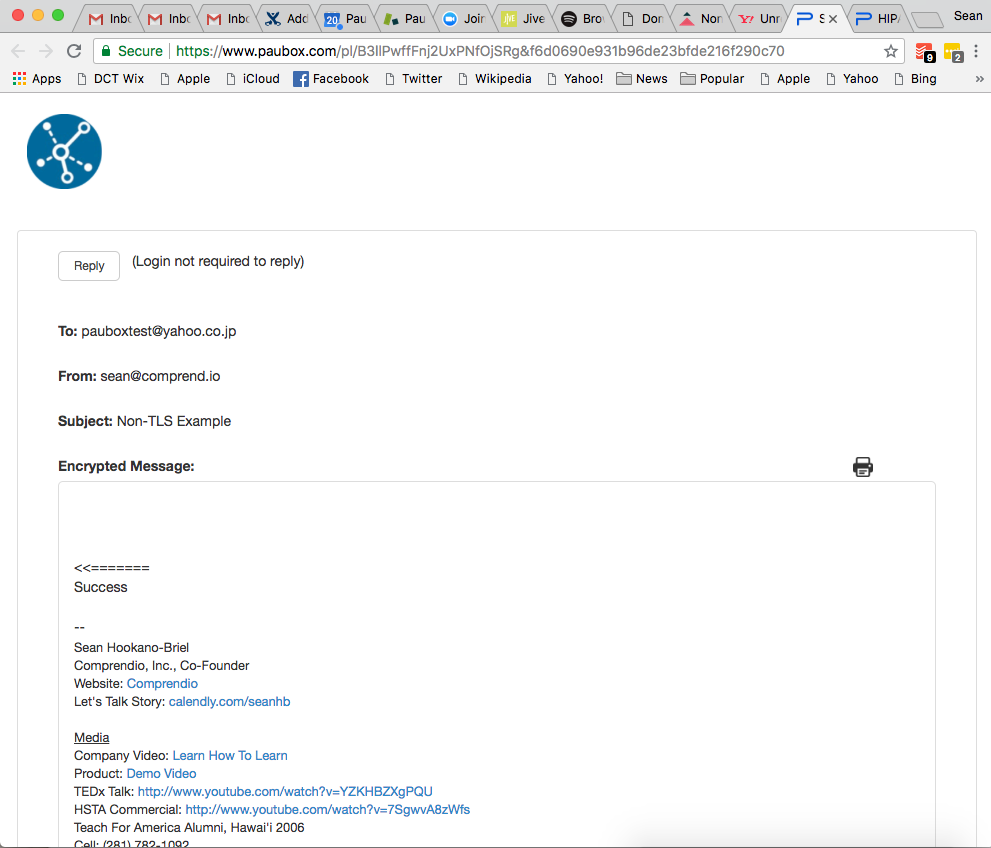
4. Your recipient hits "reply" to respond, download or upload attachments securely.
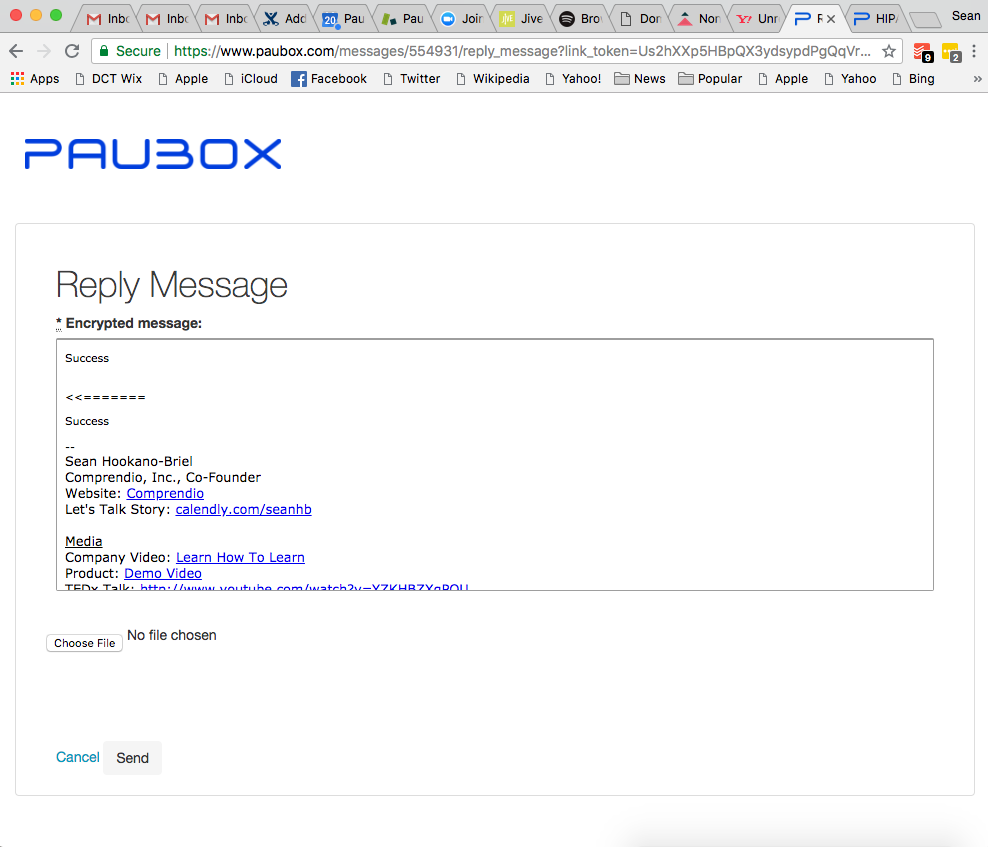
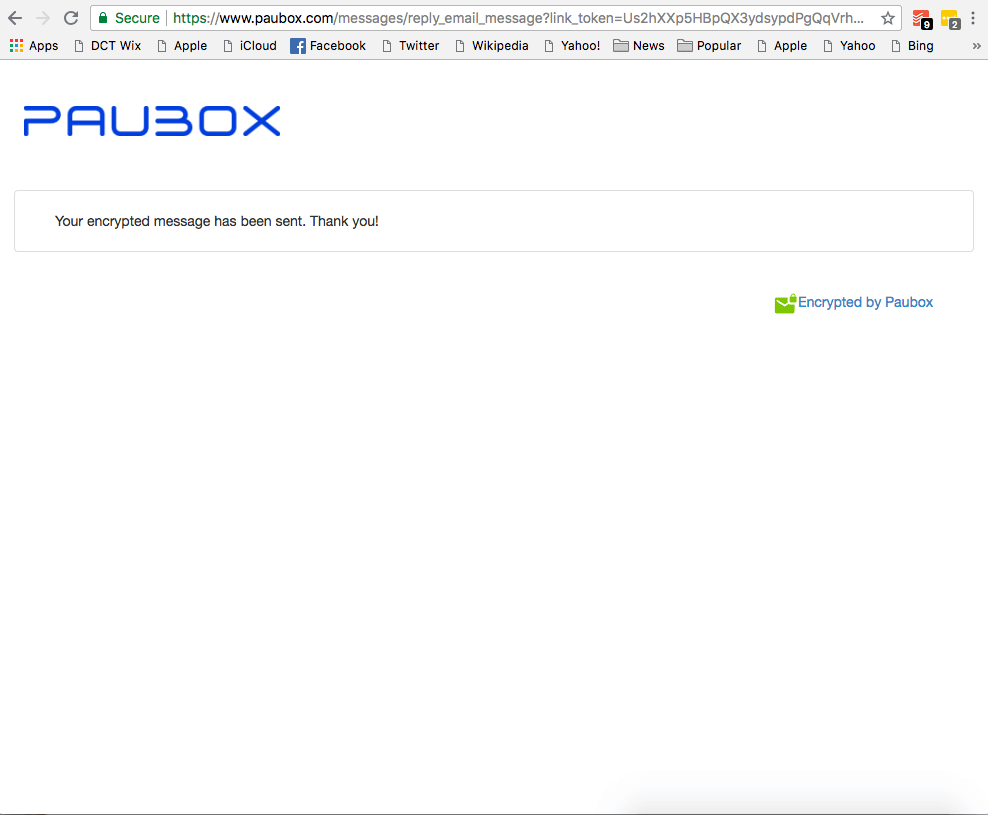
5. Your recipient clicks "send" to transmit their response securely.
TLS 1.3 is the newest and most secure version of the TLS protocol. Paubox Email Suite, Paubox Marketing, and Paubox Email API all utilize TLS 1.3. When you send encrypted email via Paubox, our platform automatically chooses TLS 1.3 as the default encryption choice.
