


.svg)
.svg)
.svg)
.svg)
.svg)
.svg)
.svg)
.svg)
.svg)
.svg)
.svg)
.svg)
.svg)
.svg)
.svg)
.svg)
.svg)
.svg)
.svg)
.svg)
.svg)
.svg)


A customer recently sent me an email, encrypted by Paubox, of course, that went something like this:
“My co-worker saw that Google is now doing end-to-end email encryption and is wondering, ‘Isn't this what Paubox does?’”
This post is about how Paubox stacks up to Gmail's client-side encryption (CSE).
Gmail client-side encryption (CSE)
Two months ago, Google announced that "Gmail client-side encryption (CSE) users can send end-to-end encrypted (E2EE) emails to anyone, even if the recipient uses a different email provider."
Oddly enough, this wasn't Google's first CSE announcement. They made a similar pronouncement on April 1st, which we wrote about here.
In fact, this isn't Google's first attempt at encrypted email either. Back in 2019, we covered Gmail Confidential Mode. As you may have guessed, Gmail Confidential Mode did not attract widespread adoption.
How does Paubox compare to Gmail client-side encryption (CSE)?
Let's dive into how Paubox stacks up against Gmail CSE.
Gmail CSE is not easy to use
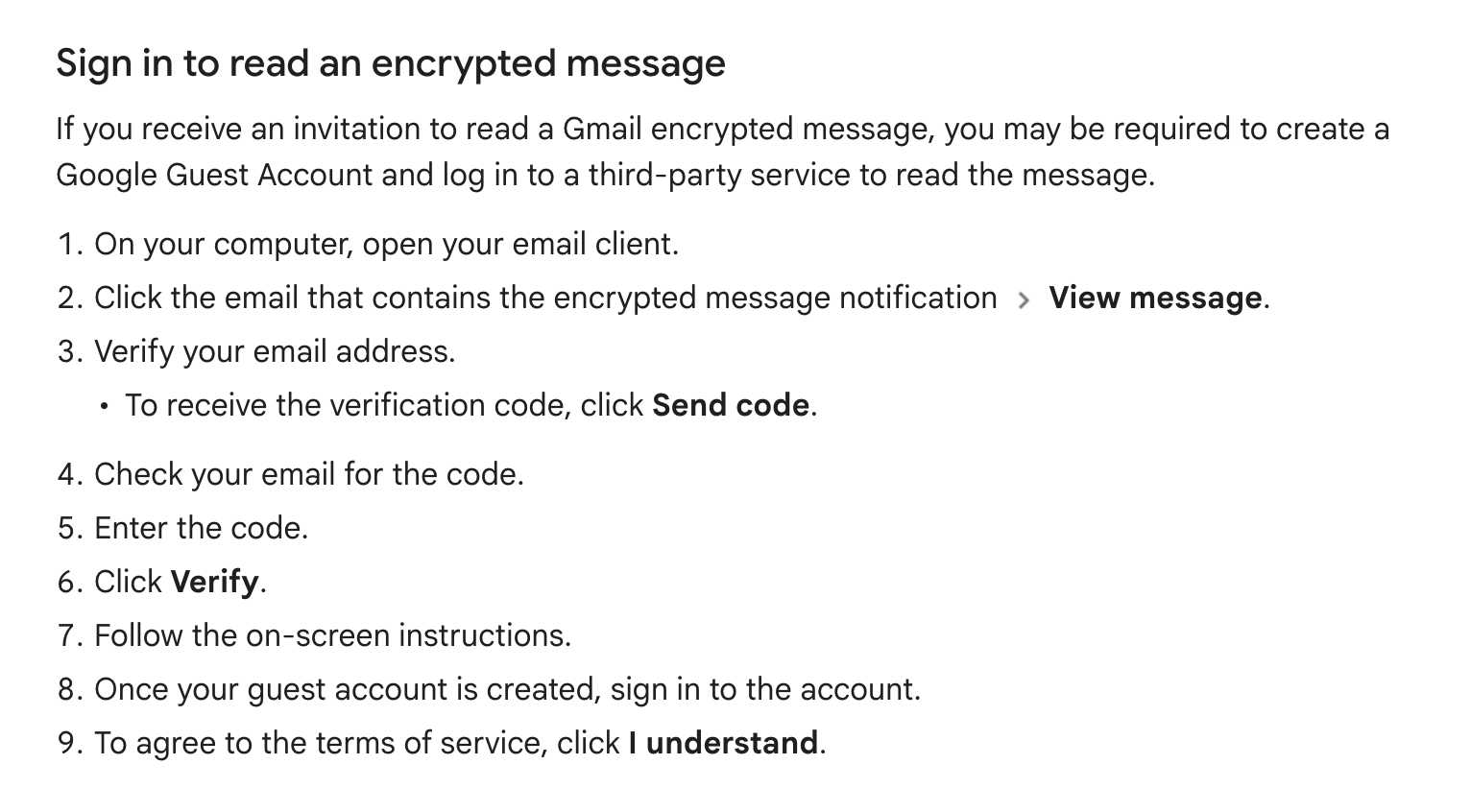
When an email is sent via Gmail CSE, recipients who are not on the Google platform still need to log in to a portal.
According to Google's documentation, this is a nine step process:
In addition, when composing an encrypted email in Gmail CSE, only Google Chrome or Microsoft Edge (Chromium) browsers are supported.
In other words, you can’t use Gmail CSE with the Gmail app or the Mail app on your smartphone.
As we've covered, at least 70% of email is read on smartphones.
Lastly, only two browsers are supported by the Google portal, Google Chrome or Microsoft Edge (Chromium). Recipients using non-Google email and browsers like Apple Safari (the internet’s second-most popular browser) will not be able to open the message.
Paubox remains easy to use
From the outset, we built Paubox with three big ideas in mind: security, reliability, and ease of use.
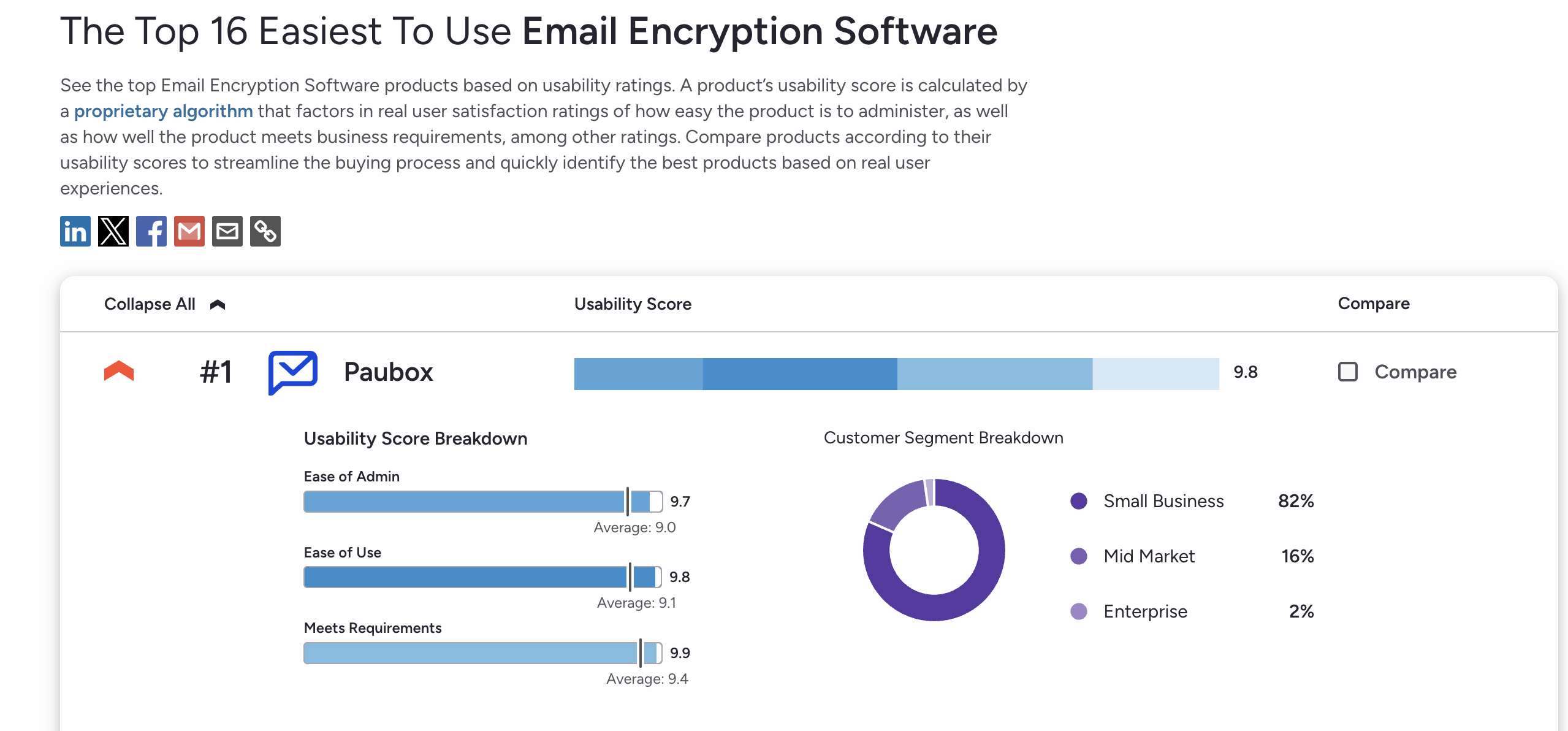
As a testament, Paubox ranks #1 as the easiest to use Email Encryption Software solution on G2.
Regardless of what email platform the recipient uses, Paubox delivers encrypted email in a seamless fashion, directly to the inbox.
In instances where the recipient's mail system is not correctly configured for encryption, the message and any attachments are automatically routed to the Paubox Secure Message Center.
In addition, Paubox can be used on any smartphone and any mail app. End users don't need to configure or install any new software.
Gmail CSE reduces its own functionality
In a twist of irony, using Gmail CSE for email encryption also means that Gmail’s functionality is markedly limited. In soccer terms, this equates to an own goal.
For example:
- Attachment size limits are reduced to 5MB from 25MB.
- CC and BCC fields are not supported
- Email signatures, emojis, and even the ability to print are not supported
- Confidential mode is not supported (the irony!)
Paubox compliments Gmail's functionality
As is the case for customers using Microsoft 365, Paubox complements the functionality of Google Workspace and Gmail.
For example:
- Paubox supports attachments up to 50MB
- CC and BCC fields are supported
- Email signatures, emojis, and the ability to print remain intact
- Confidential mode is supported
Gmail CSE introduces security issues
In another ironic twist, Gmail client-side encryption (CSE) introduces an array of security concerns.
For example:
- Both Gmail and Gmail CSE still allow TLS 1.0 and 1.1 encryption protocols. Back in 2021, the National Security Agency (NSA) released guidance on eliminating weak encryption protocols: "NSA recommends that only TLS 1.2 or TLS 1.3 be used; and that SSL 2.0, SSL 3.0, TLS 1.0, and TLS 1.1 not be used."
- Gmail and Gmail CSE allow expired and self-signed SSL certificates to be used. As proof, we will publish a report with data later this month.
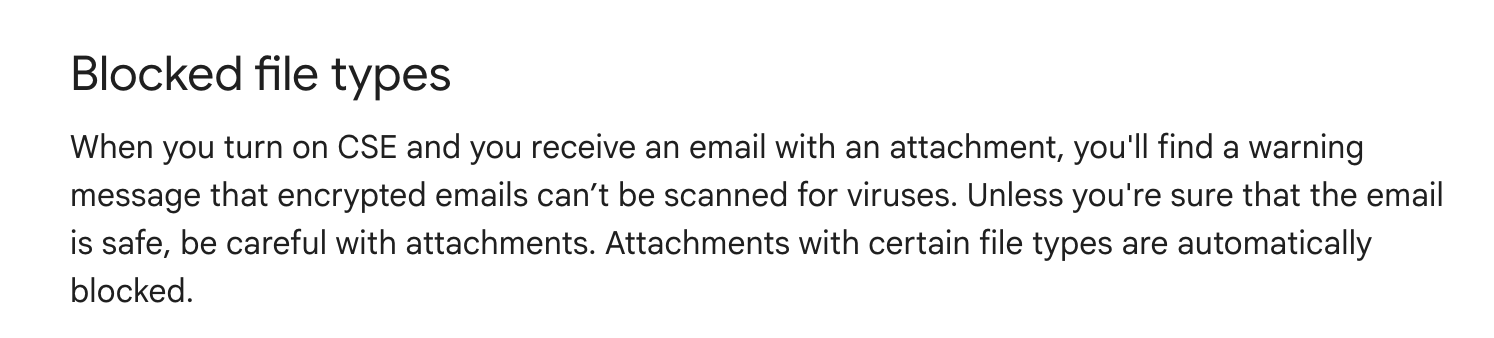
- The biggest own goal is that attachments sent via Gmail CSE are not scanned for viruses, ransomware, or malware.
Paubox enhances Gmail security
Like a blanket on a cold winter night, Paubox wraps around Gmail and Google Workspace to provide HIPAA compliant email.
This approach provides the following benefits:
- Paubox only allows TLS 1.2 and 1.3 protocols. We did this back in 2021.
- Paubox Email Suite does not support expired and self-signed SSL certificates. If a recipient's mail system has an expired or self-signed SSL cert, the message (and any attachments) is converted to the Paubox Secure Message Center.
- Paubox scans both outbound and inbound email for viruses, ransomware, and malware.
Conclusion
Seventy percent of email doesn’t run through Gmail or Google Workspace. Since no company can own email, any encrypted solution tied to one platform will not achieve broad adoption.
Personally, it seems to me that Gmail CSE will receive the same reception as Gmail Confidential Mode. We’ll forget its name in a couple of years.
