


.svg)
.svg)
.svg)
.svg)
.svg)
.svg)
.svg)
.svg)
.svg)
.svg)
.svg)
.svg)
.svg)
.svg)
.svg)
.svg)
.svg)
.svg)
.svg)
.svg)
.svg)
.svg)

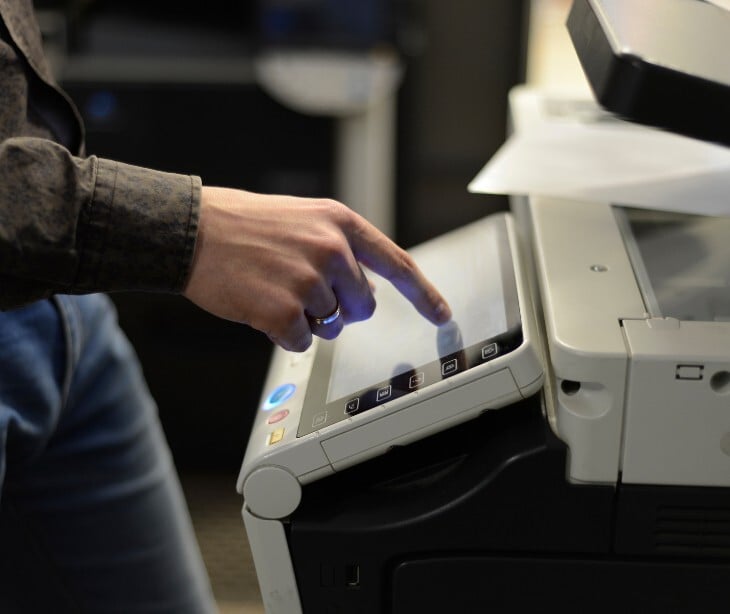
Modern multifunction printers (MFPs) and digital copiers do more than print. They scan, fax, email, and store documents. Every page that passes through a digital copier may be captured and held on an internal hard drive. Without proper safeguards, that data can be accessed by unauthorized individuals, intercepted over the network, or exposed when the device is decommissioned, sold, or returned to a leasing company.
Under HIPAA's Security Rule, covered entities and their business associates are required to implement administrative, physical, and technical safeguards to protect electronic PHI (ePHI). A digital copier that handles patient documents processes ePHI, and that brings it within HIPAA’s boundaries.
The hard drive problem
In April 2010, CBS News chief investigative correspondent Armen Keteyian published an investigation titled "Digital Photocopiers Loaded With Secrets." Working with digital copier security expert John Juntunen, CBS News visited a warehouse in New Jersey where 6,000 used copy machines were going to be resold for roughly $300 each. Juntunen selected four machines based on price and page count. Within 30 minutes of unpacking them, he had pulled the hard drives. Using freely available forensic software, he downloaded tens of thousands of documents in under 12 hours.
The findings included one machine from Affinity Health Plan, a New York insurance company, "We obtained the most disturbing documents: 300 pages of individual medical records. They included everything from drug prescriptions, to blood test results, to a cancer diagnosis. A potentially serious breach of federal privacy law,” stated Juntunen.
Former NSA analyst and digital security expert Ira Winkler, who reviewed the findings, stated, "You're talking about potentially ruining someone's life, where they could suffer serious social repercussions." His conclusion was, "You have to take some basic responsibility and know that these copiers are actually computers that need to be cleaned up."
Ed McLaughlin, then-President of Sharp Imaging, acknowledged the failure when asked by CBS News whether the industry had informed the public of the risks, "Yes, in general, the industry has failed." When a lease ends or an old machine is replaced, organizations that hand the device back without addressing the drive may have committed a reportable data breach under HIPAA, potentially triggering notification requirements, civil penalties, and reputational damage.
HIPAA requirements that apply to copiers
1. Access controls
The HIPAA Security Rule's technical safeguards, at 45 CFR § 164.312(a)(1), require covered entities to, "Implement technical policies and procedures for electronic information systems that maintain electronic protected health information to allow access only to those persons or software programs that have been granted access rights."
For copiers, this means implementing user authentication so that only authorized staff can operate the machine or retrieve stored documents. The regulation further specifies a required implementation, unique user identification under 45 CFR § 164.312(a)(2)(i), which mandates that organizations, "Assign a unique name and/or number for identifying and tracking user identity." Without per-user authentication, anyone who uses the device can access queued print jobs or stored scans which is a violation of this standard.
2. Audit controls
The audit controls standard under 45 CFR § 164.312(b) has no optional implementation specifications, it is a required standard for all covered entities, "Implement hardware, software, and/or procedural mechanisms that record and examine activity in information systems that contain or use electronic protected health information."
Enterprise-grade copiers can offer logging features that track who used the device, when, and what functions were performed. These logs should be enabled, reviewed, and retained in accordance with your organization's data retention policy.
3. Transmission security
When a copier sends a scanned document via email or stores it on a network folder, that transmission is subject to the transmission security standard which states, "Implement technical security measures to guard against unauthorized access to electronic protected health information that is being transmitted over an electronic communications network."
Two addressable implementation specifications accompany this standard:
- Integrity controls: "Implement security measures to ensure that electronically transmitted electronic protected health information is not improperly modified without detection until disposed of."
- Encryption: "Implement a mechanism to encrypt electronic protected health information whenever deemed appropriate."
This means configuring the copier to use encrypted email protocols and making sure that all network connections are secured. "Addressable" does not mean optional, it means organizations must either implement the specification or document an equivalent alternative measure.
4. Device and media controls
45 CFR § 164.310(d)(1) requires covered entities to "implement policies and procedures that govern the receipt and removal of hardware and electronic media that contain electronic protected health information into and out of a facility, and the movement of these items within the facility."
Two required implementation specifications apply to copier retirement:
- Disposal: "Implement policies and procedures to address the final disposition of electronic protected health information, and/or the hardware or electronic media on which it is stored."
- Media ue-use: "Implement procedures for removal of electronic protected health information from electronic media before the media are made available for re-use."
Before any device leaves your possession through disposal, resale, lease return, or repair the hard drive must be securely wiped or physically destroyed.
5. Risk analysis
45 CFR § 164.308(a)(1)(ii)(A) describes organizations as having an obligation to "conduct an accurate and thorough assessment of the potential risks and vulnerabilities to the confidentiality, integrity, and availability of electronic protected health information held by the covered entity or business associate."
Your organization's risk analysis should include digital copiers and MFPs. Every device that may process PHI must be identified, its risks documented, and security controls implemented.
Steps to achieve compliance
- Business associate agreement: Under 45 CFR § 164.308(b), any vendor who services or has access to your ePHI must sign a business associate agreement (BAA). This includes your copier vendor or managed print services provider. Vendors can also help activate encryption options, hard drive overwrite features, and secure print release functionality.
- Enable encryption and automatic overwrite: Modern business copiers include built-in storage encryption and automatic overwrite functionality that erases document images after each job.
- Implement secure print release: Secure print release, where a document only prints after the authorized user authenticates at the device, eliminates this exposure and supports the unique user identification requirement.
- Establish a formal end-of-life protocol: Create a documented procedure for retiring copiers that includes hard drive removal, secure wiping or physical destruction, and an updated asset inventory.
- Train your staff: 45 CFR § 164.308(a)(5) requires covered entities to implement a security awareness and training program for all workforce members.
Read also: Why 83% of healthcare IT teams say legacy systems disrupt operations
FAQs
Are cloud-connected printers subject to the same HIPAA requirements as traditional copiers?
Yes, any device that processes, stores, or transmits ePHI falls under HIPAA's Security Rule and must be secured.
Can a leased copier create HIPAA liability even though the organization doesn't own the device?
Yes, possession and use of a device that processes ePHI creates HIPAA obligations regardless of ownership.
Is a personal desktop printer in a home office also subject to these requirements for remote healthcare workers?
If the printer handles ePHI, it is subject to HIPAA's safeguard requirements, and organizations are responsible for ensuring remote workers' equipment meets compliance standards.
