


.svg)
.svg)
.svg)
.svg)
.svg)
.svg)
.svg)
.svg)
.svg)
.svg)
.svg)
.svg)
.svg)
.svg)
.svg)
.svg)
.svg)
.svg)
.svg)
.svg)
.svg)

We've all accidentally sent an email too early, without a specific attachment, or to the wrong address. It can be devastating, especially if your email needs to be HIPAA compliant for healthcare.
Lean how to undo a sent HIPAA email in Gmail
Regardless of how it happened, an accidental email can make you seem too eager, too rushed, or worse: make you violate HIPAA. Sending protected health information (PHI) accidentally or to the wrong recipient (don't always trust auto-fill!) is one of the most common causes for data breaches.
Luckily, there is a free and easy way to undo a sent email. Anyone can set it up, and we're going to show you how. We've looked at how to undo sent emails in other email providers:
This post will cover how to undo a sent email in Gmail.
How do I recall a sent Gmail?
Every Gmail and Google Workspace account includes a free little feature called Undo Send. With Undo Send, you can recall an email seconds after sending it.
How do I recall a sent HIPAA email with Gmail?
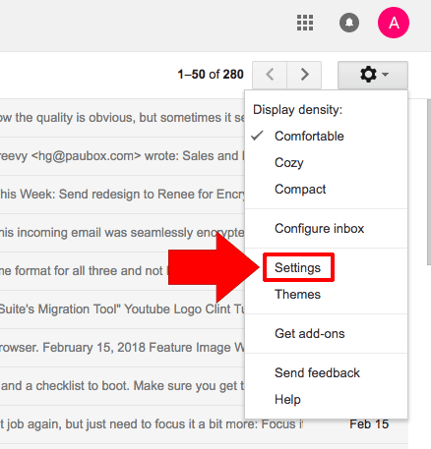
1. Open Gmail and go into your Settings 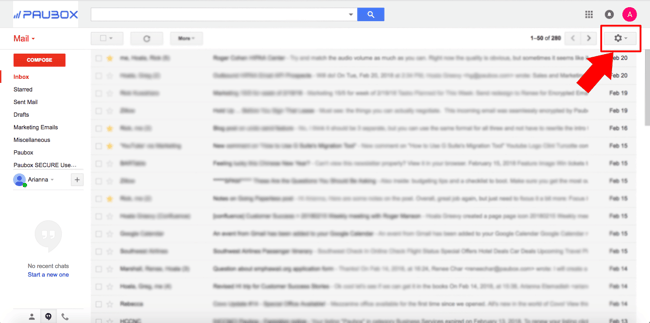
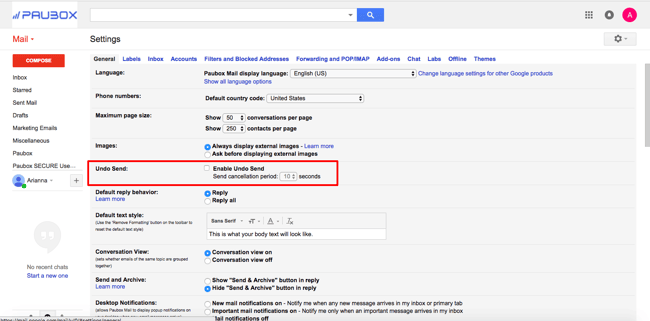
2. Find the "Undo Send" section and check the box
3. Choose how long (or short) you want your send cancellation period to be
4. Finally, save your changes to put the undo send feature into effect
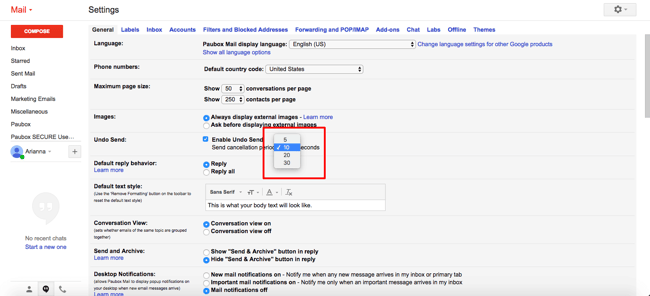
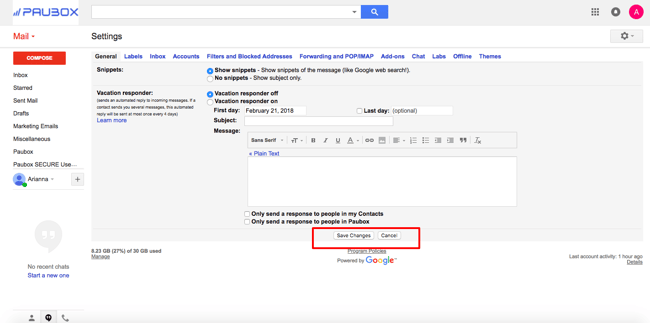
How "undo send" works in Gmail
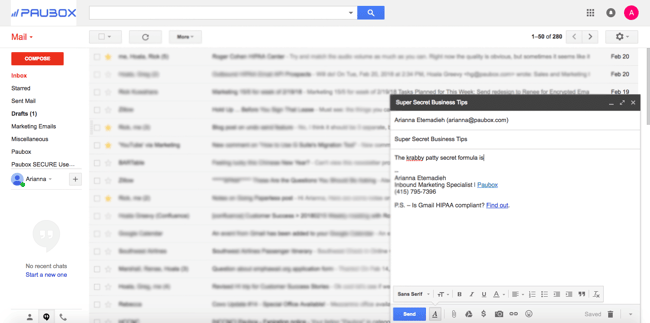
Below, I composed an email containing top secret proprietary business information and accidentally clicked send – oh no!
Gmail quickly confirmed my email was sent. But after enabling the "Undo Send" feature, now the option "undo" appears.
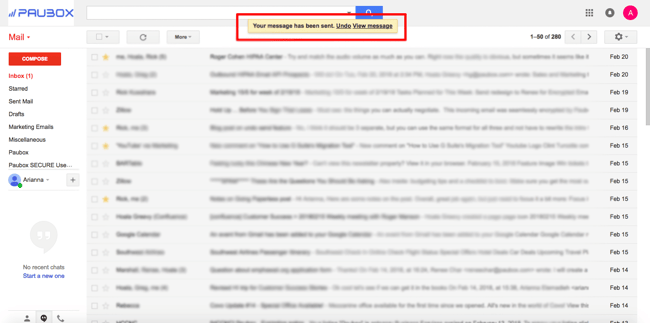
Almost immediately after selecting the "undo" button, my original email returned, and Gmail confirmed that my sent email was retracted. 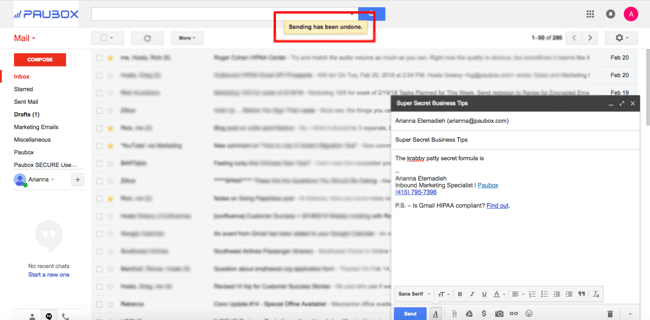
Prevent accidental HIPAA email from being sent with Paubox Email Suite Premium
Even with an undo send feature enabled, you can still miss the window to retract your email. And it happens – we're only human.
With Paubox Email Suite Premium, you can make sure no emails - especially those containing sensitive information - slip through the cracks. Paubox Email Solutions ensures that any email secured with our patented technology is encrypted and HIPAA compliant.
No more worries about user error and emails accidentally sent that can be very costly to your organization.
HIPAA email concerns? Paubox has your back
Paubox Email Suite Premium allows you to set customizable rules so no sensitive data gets sent accidentally or maliciously. Social security numbers, proprietary information, PHI, and more can be recognized and "quarantined" from being sent out until you give the final approval.
Accidents happen, and it's always better to be safe than sorry.
